
Match Maker makes scheduling easy
Your all in one scheduling tool: plan, message, schedule, play
How Match Maker works
1. Add your availability
2. Confirm a date
3. Play your match
Your 2-week match window
Each match comes with a 2-week play period to complete your match. Post your available match times by no later than Wednesday of the preceding week. The earlier you post, the more scheduling options you have.
Week 1
Primary week (your goal is to play here)
Week 2
Make-up week (this is backup)
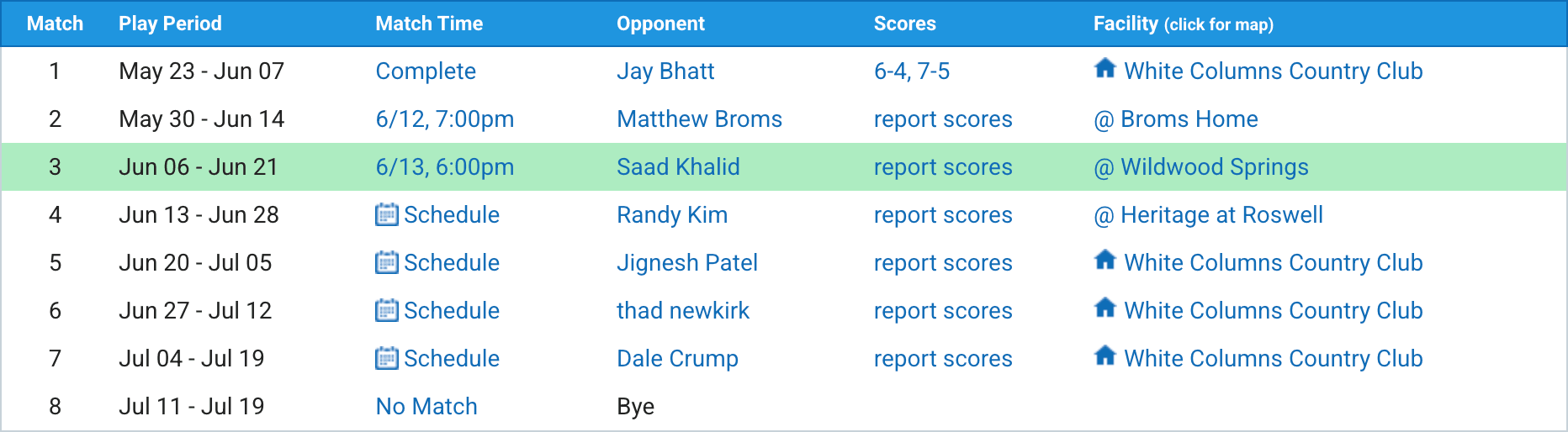
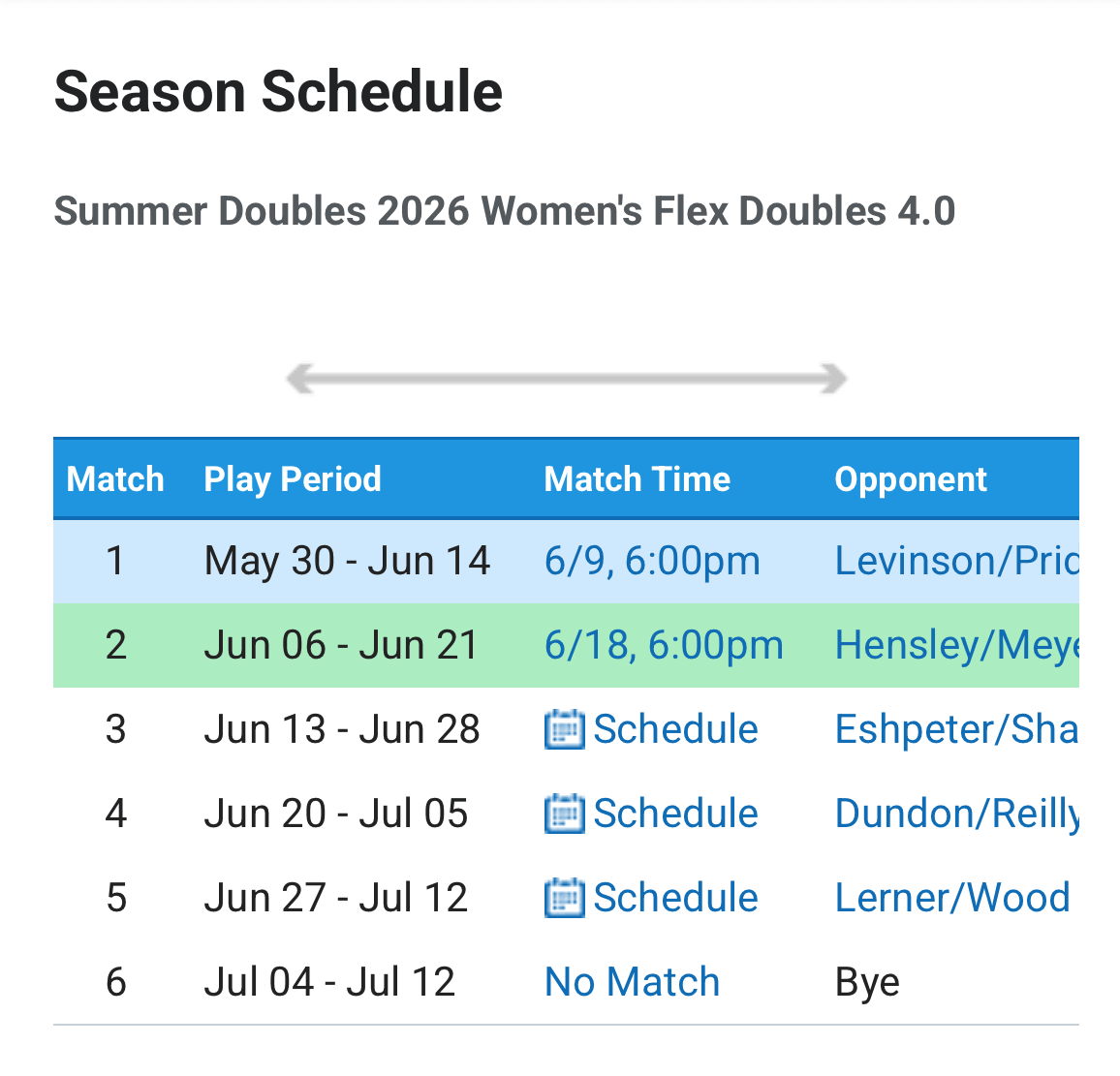
Access the Match Maker from your schedule page.
Click the "Schedule" link next to your opponent's name.
How to schedule your match
1. Add your availability
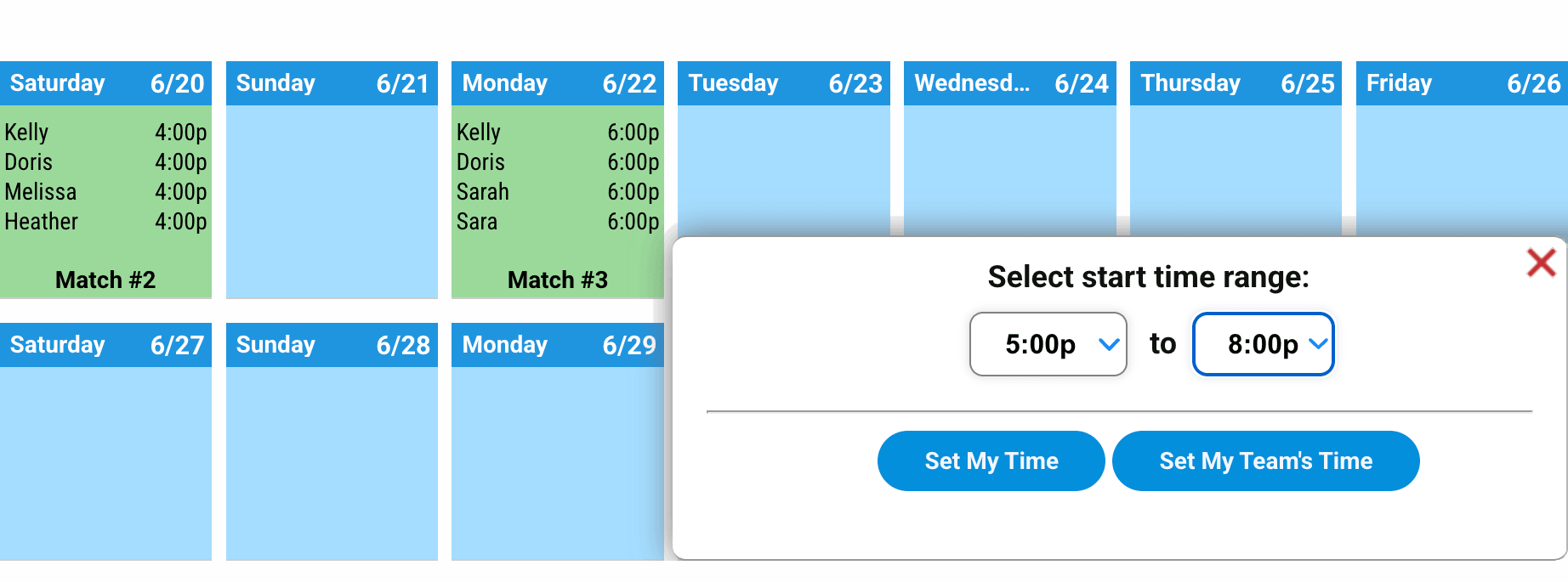
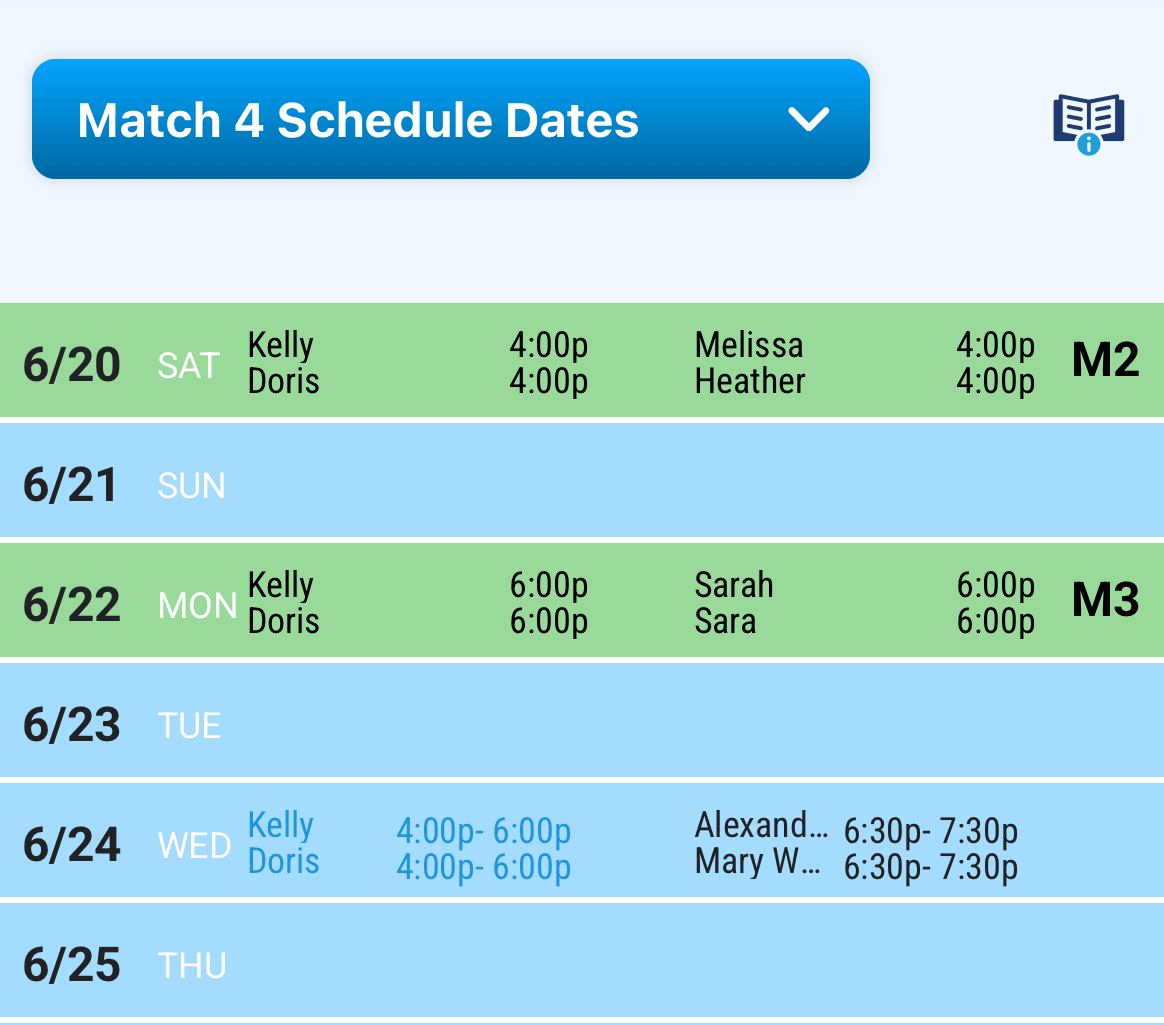
To add match times, click on any calendar date, and a time box will appear. You can choose a single time or a range of times. Offer a range when possible; it gives your opponent more flexibility.
List all of your available times, then click "Send match times to opponents". Include a message if you want. That's it, you're done.
PRO TIPS FOR FASTER SCHEDULING
Offer at least 3 days, that's the minimum required. More is better.
Offering all your available times upfront is the most efficient way to schedule.
If you have preferred days, add a note when sending your times.Doubles & mixed: if you know your partner's availability, choose "Set My Team's Time", it will cut scheduling time by 50%
2. Confirm a date
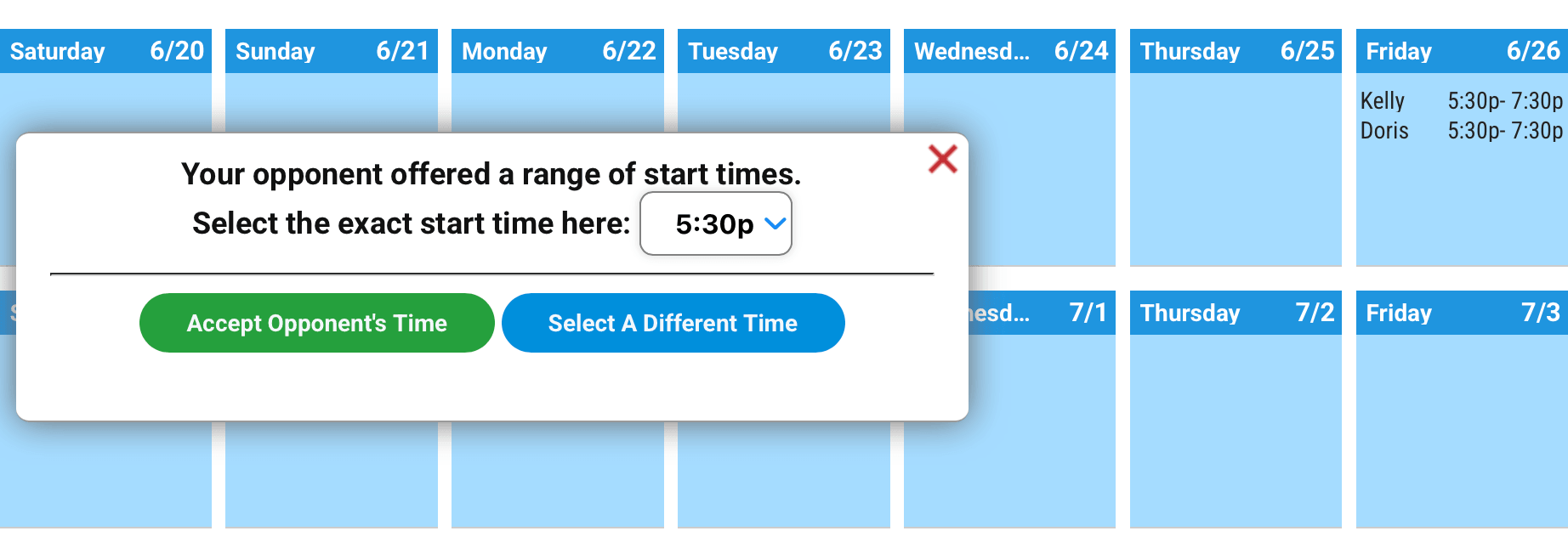
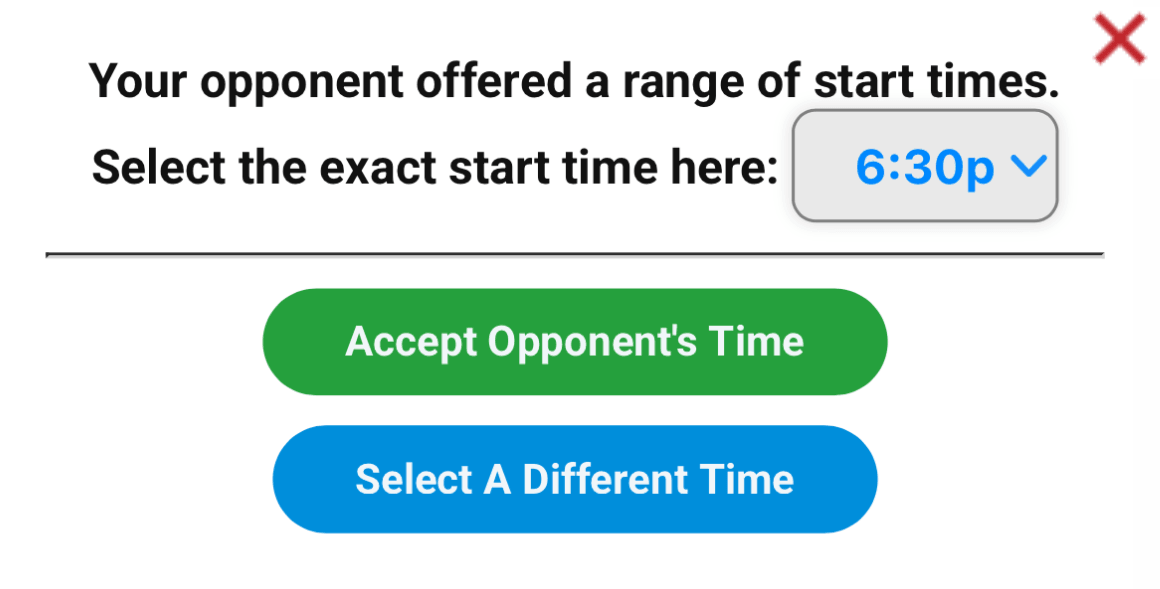
Both you and your opponent can offer and accept match times.
When you see a posted time that works for you, click "Accept Opponent's Time".
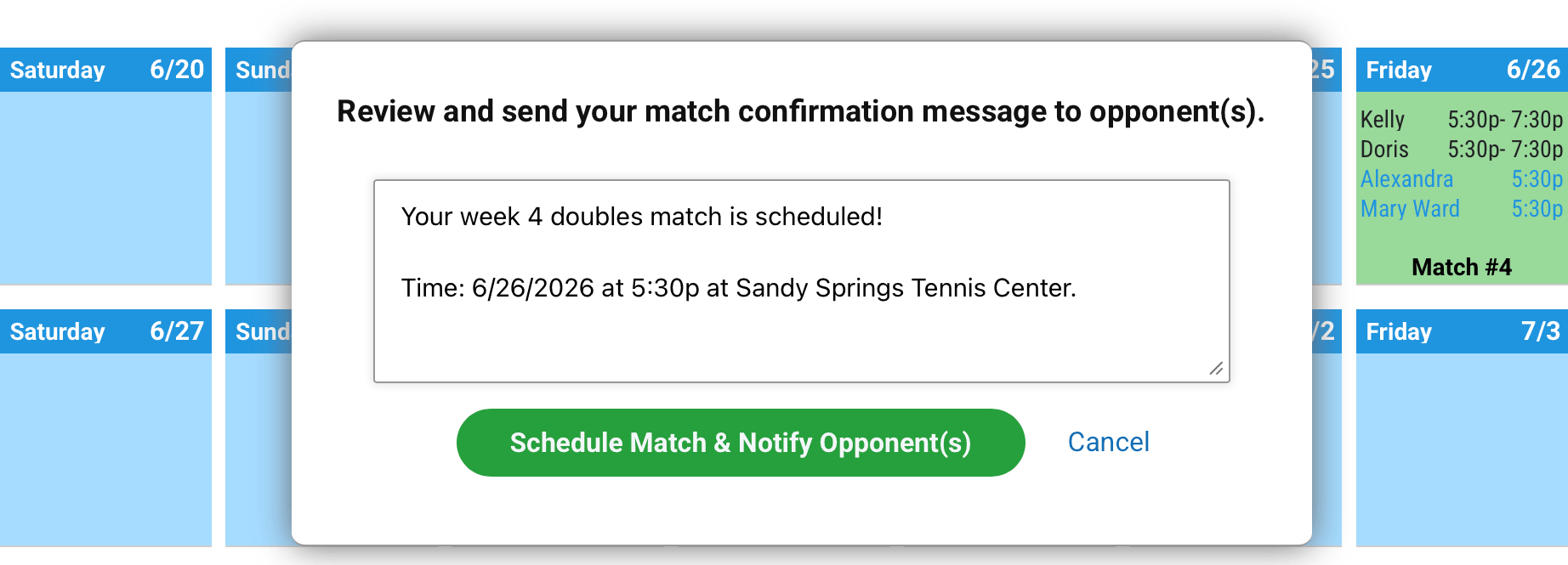
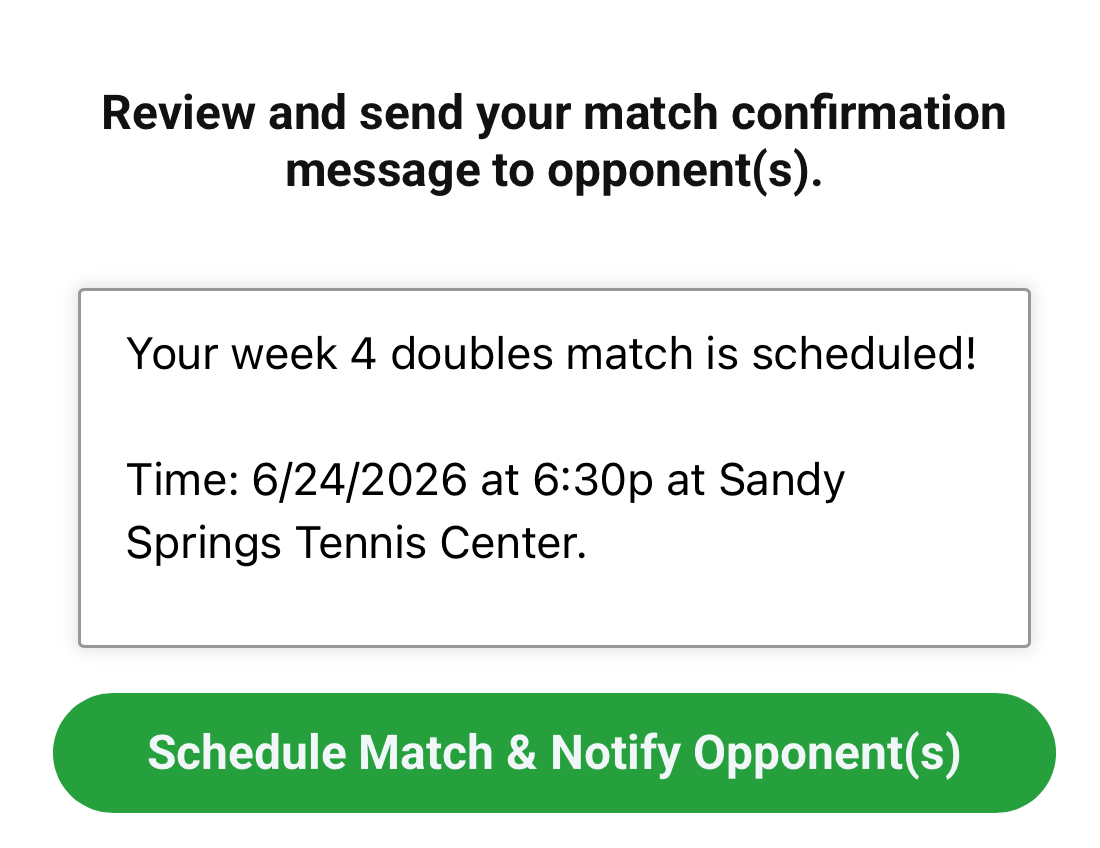
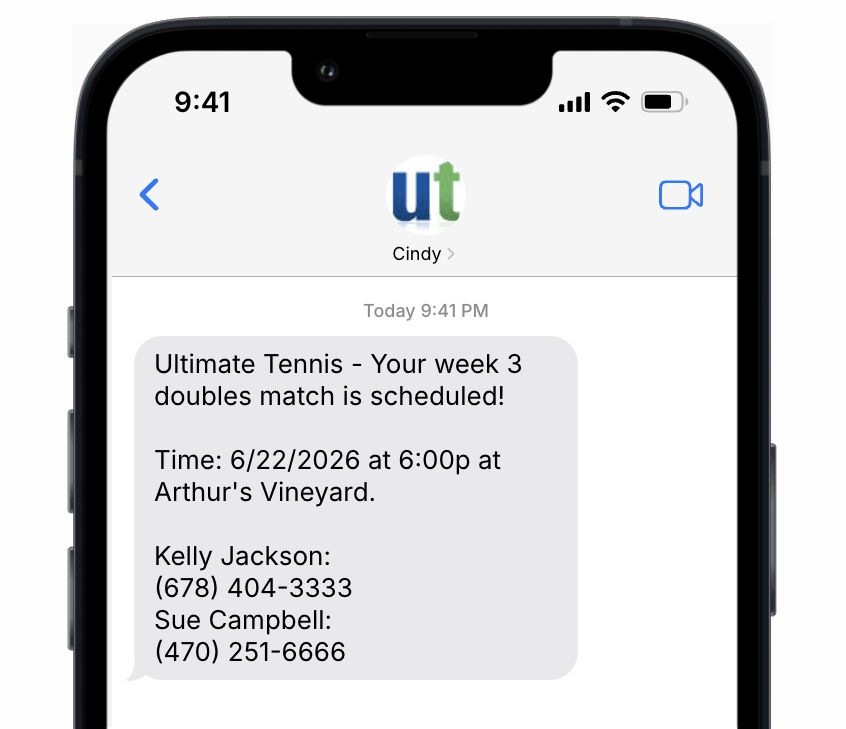
To lock in the match, click "Schedule Match & Notify Opponents". This sends a confirm notice to both players (text or email). Set your notification preference at the bottom of the calendar.
WHEN YOUR OFFERED TIMES DON'T LINE UP
Reply with alternative times. Match times are exchanged until all players agree on a common date.
If each team has offered the required 3 days (within the 2 week play period) and can't find a common date, the match is automatically scheduled for the “Deadline date", the last day of the play period, Sunday 7 pm (night & weekend leagues) or Friday 11 am (weekday leagues).
See backup options below for additional ways to complete a match.
3. Play your match
Once confirmed, both players receive a notification by text or email.
Show up, compete, and report your score on your schedule page when you're done.

Backup options
If you can't find a time to complete your match within your 2-week window, you have options — in this order:
1. Play the match early
Preferred option if you know in advance that you or your opponent will be out of town during your play period. Entering your match days early affords this option.
2. Play on the deadline date
If you can't find a common time. The match defaults to the final Sunday at 7pm (night leagues) or the final Friday at 11am (Weekday Women's).
3. Use your Late Pass
You have 1 Late Pass per league. It lets you play a match anytime during the regular season. Use it only after other options have been exhausted.
4. Play a sub / Use a sub
Use when a player is injured, withdraws or becomes unavailable. A good option if you've already used your Late Pass or want to save it. See substitute player rules
5. Take a default
Your last resort. Use if your opponent: doesn't post 3 match dates, doesn't respond by Wednesday of the primary week, or can't complete the match after all other options are tried.
We recommend using the Match Maker for all your scheduling. It's much more efficient, and it records your match dates and messaging with opponents. If the match goes unplayed, this will determine who defaults.
"Match Maker gives you faster scheduling, more control, and a single place for all match communication."
Got a question? We're here to help.
Copyright © 2003 – 2026 Apex Tennis Systems, Inc. All rights reserved.
Copyright © 2003 – 2026
Apex Tennis Systems, Inc. All rights reserved.