
Player Guide
New to Ultimate Tennis? Here's a quick tour of the key pages you'll use most during the season.
Navigation Basics
Use the Singles, Doubles, and Mixed tabs to switch between league types.
The blue sub-tabs show your current schedule, standings, and playoff draw for the selected event.
The name and photo at the top of any page tell you whose information you're viewing.
Click any player's name to see their full playing history.
Use the "Back to My Profile" button to return to your own pages at any time.
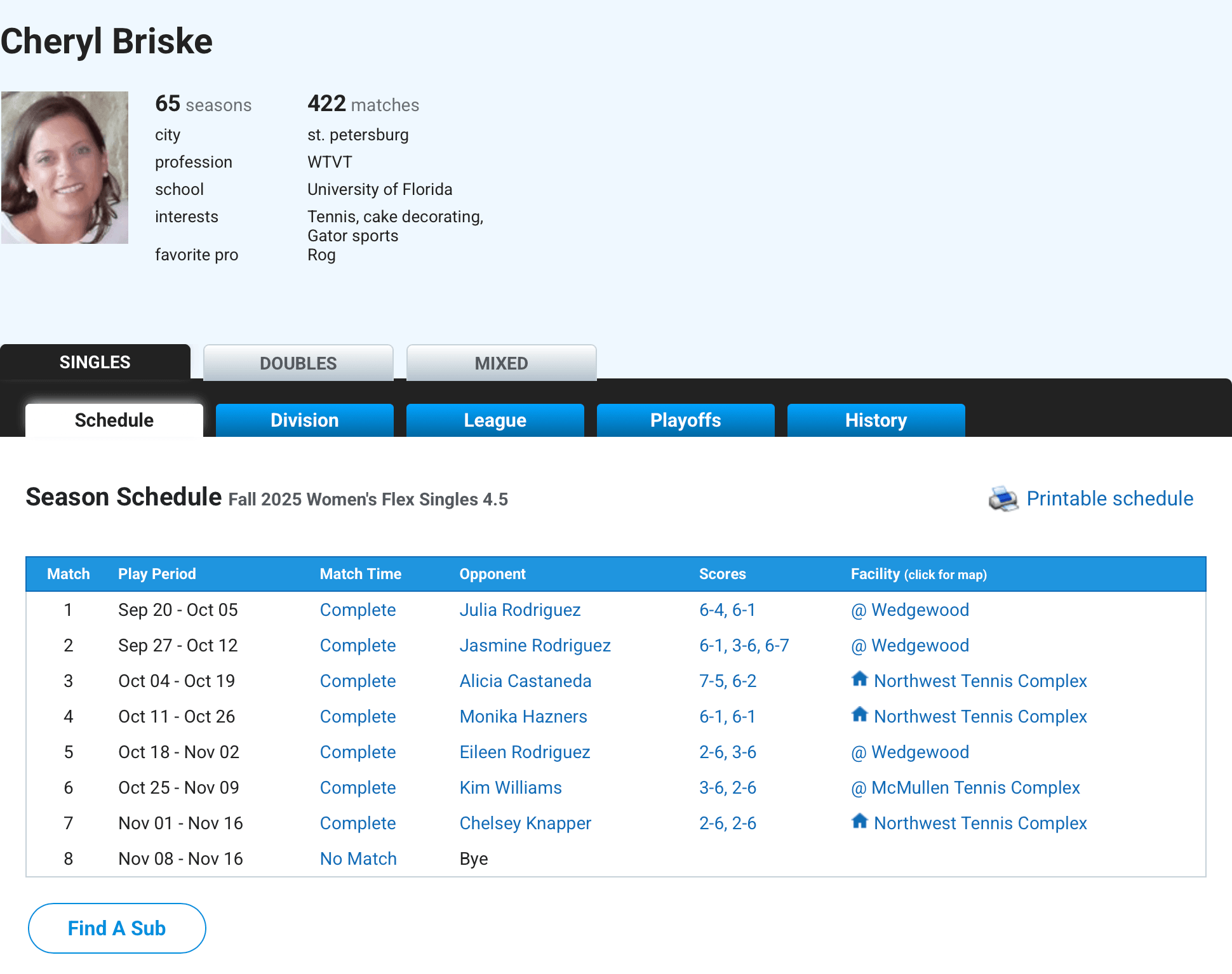
Schedule
Your schedule is the page you land on when you sign in. Use it to set up matches, get your opponent's contact info, and report scores.
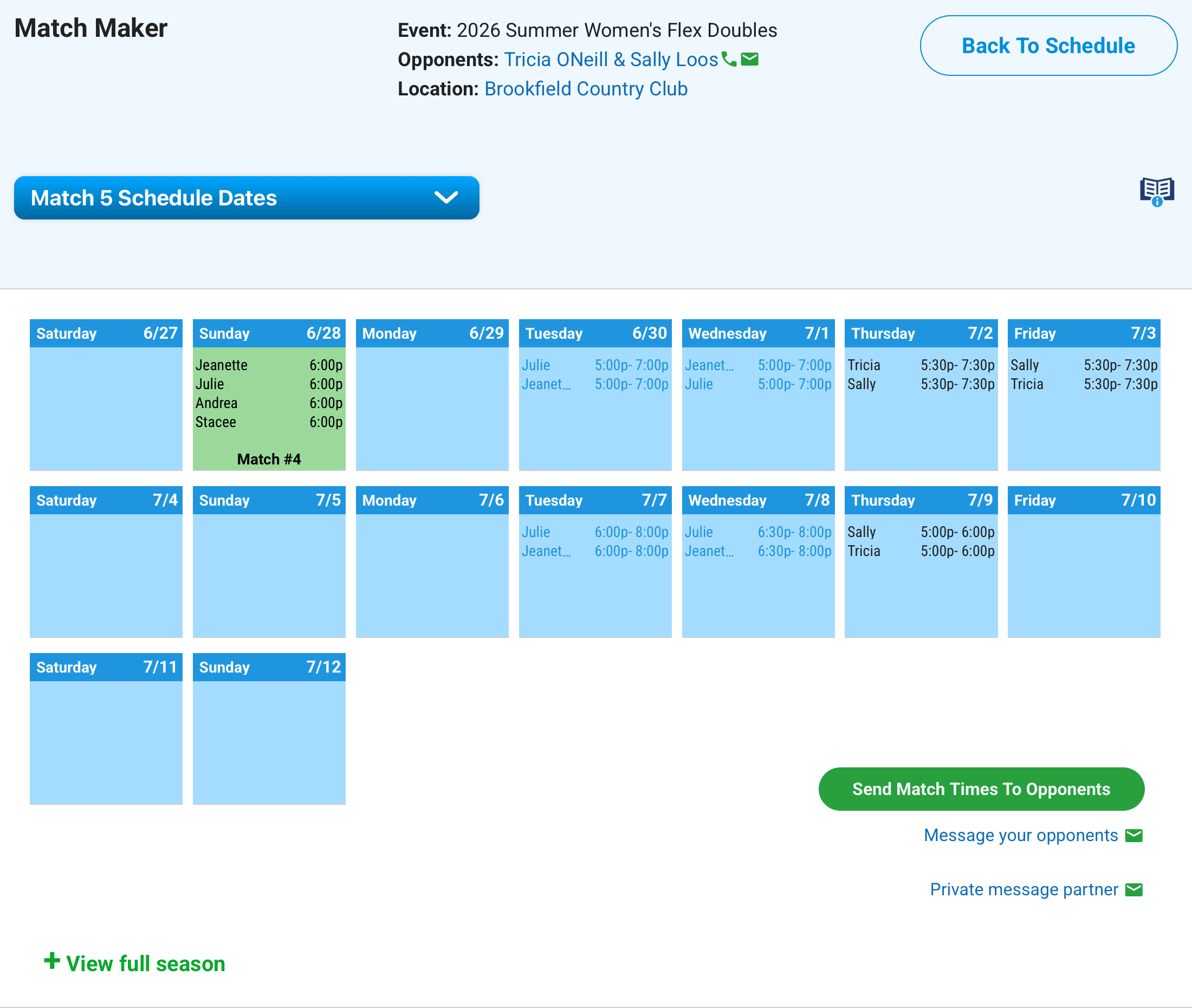
Match Maker
Your all-in-one scheduling tool: plan, message, schedule, play. Schedule your matches quickly and easily.
Access Match Maker directly from your Schedule page → How to use Match Maker
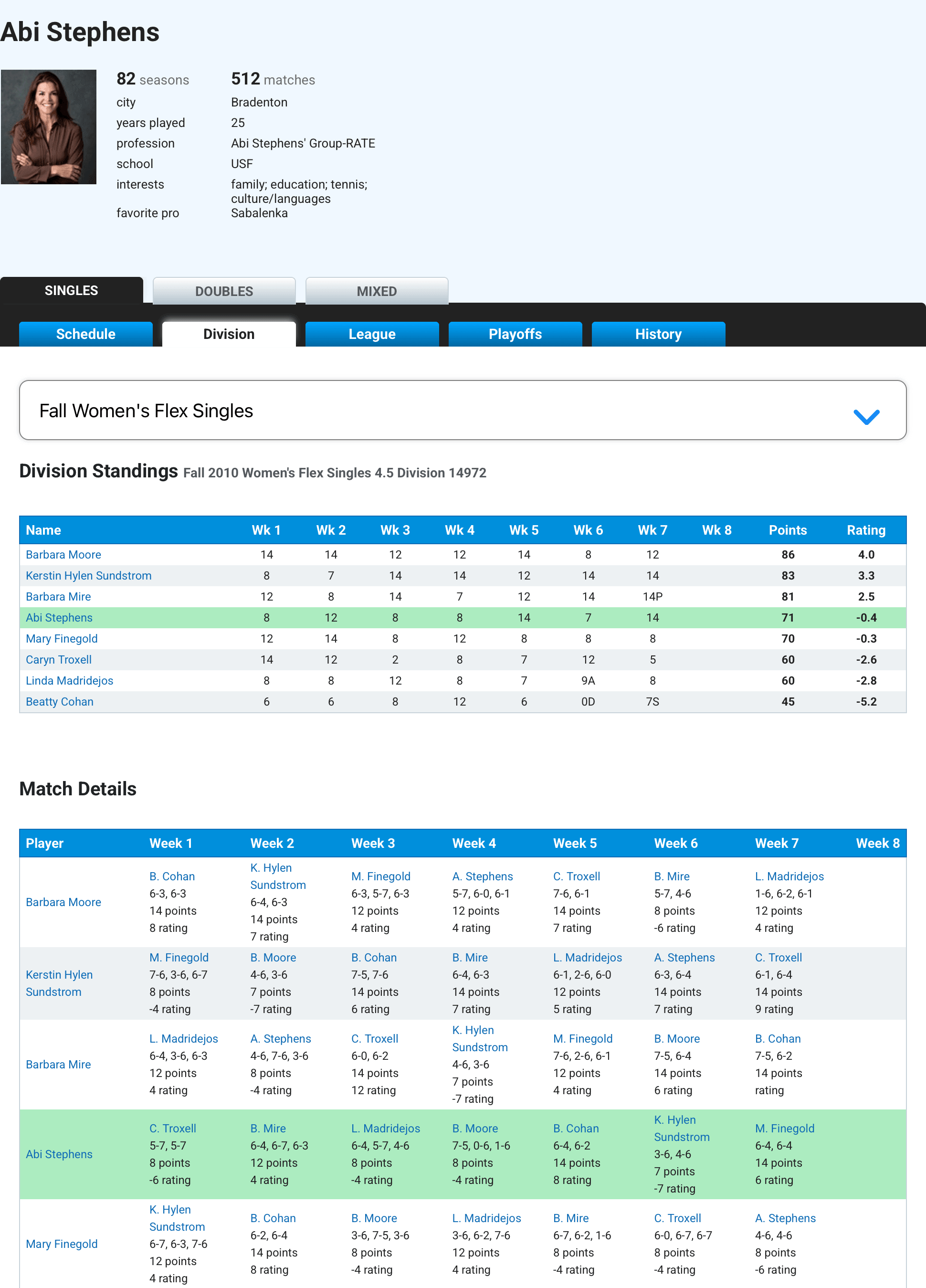
Division Standings
See the rankings and points for everyone in your division. The match details section at the bottom shows weekly opponents and scores — an easy way to follow every matchup throughout the season.
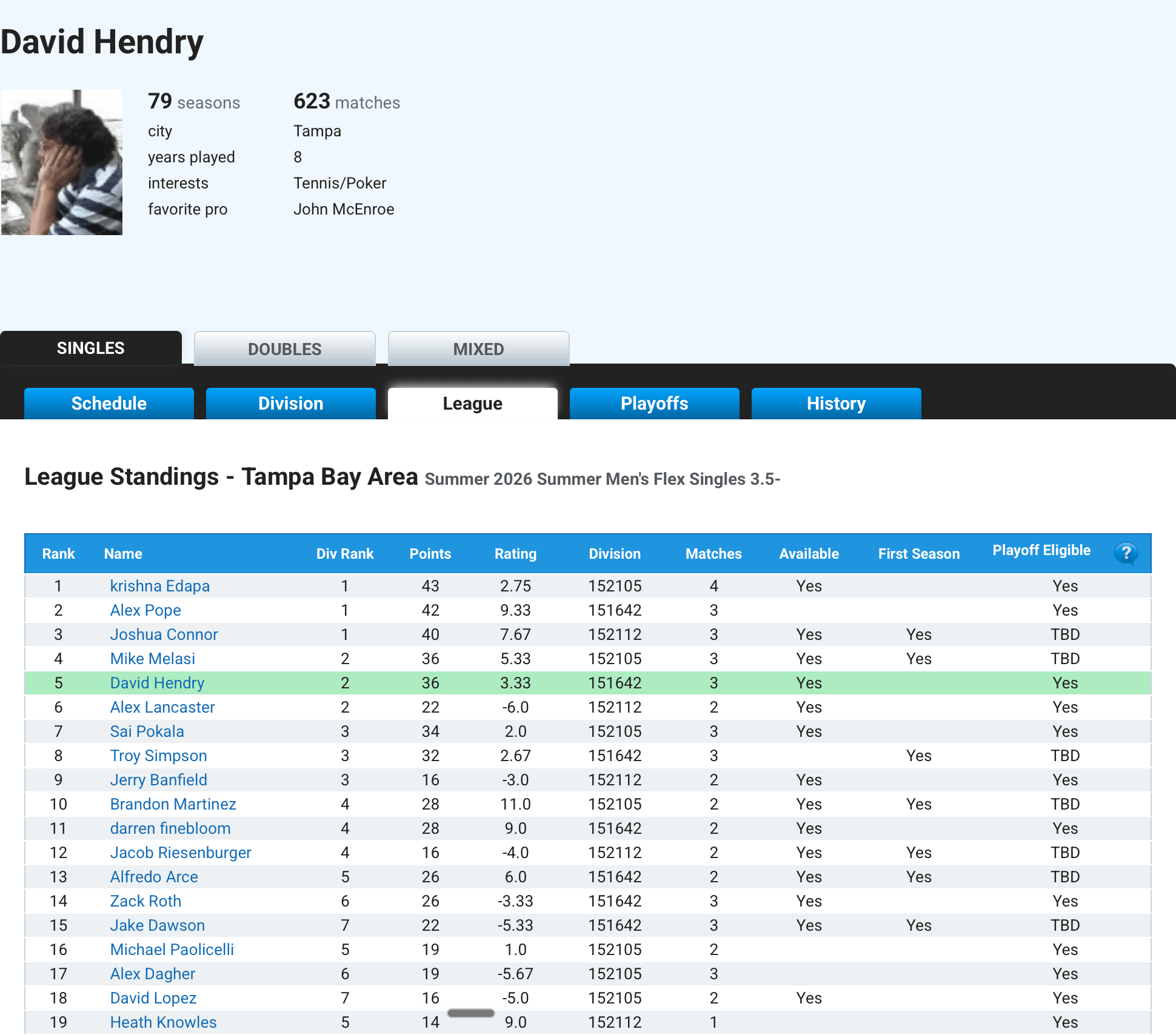
League Standings
Rankings for all players at your skill level in your city. The league standings at the end of the season set the seeding for the playoff tournament.
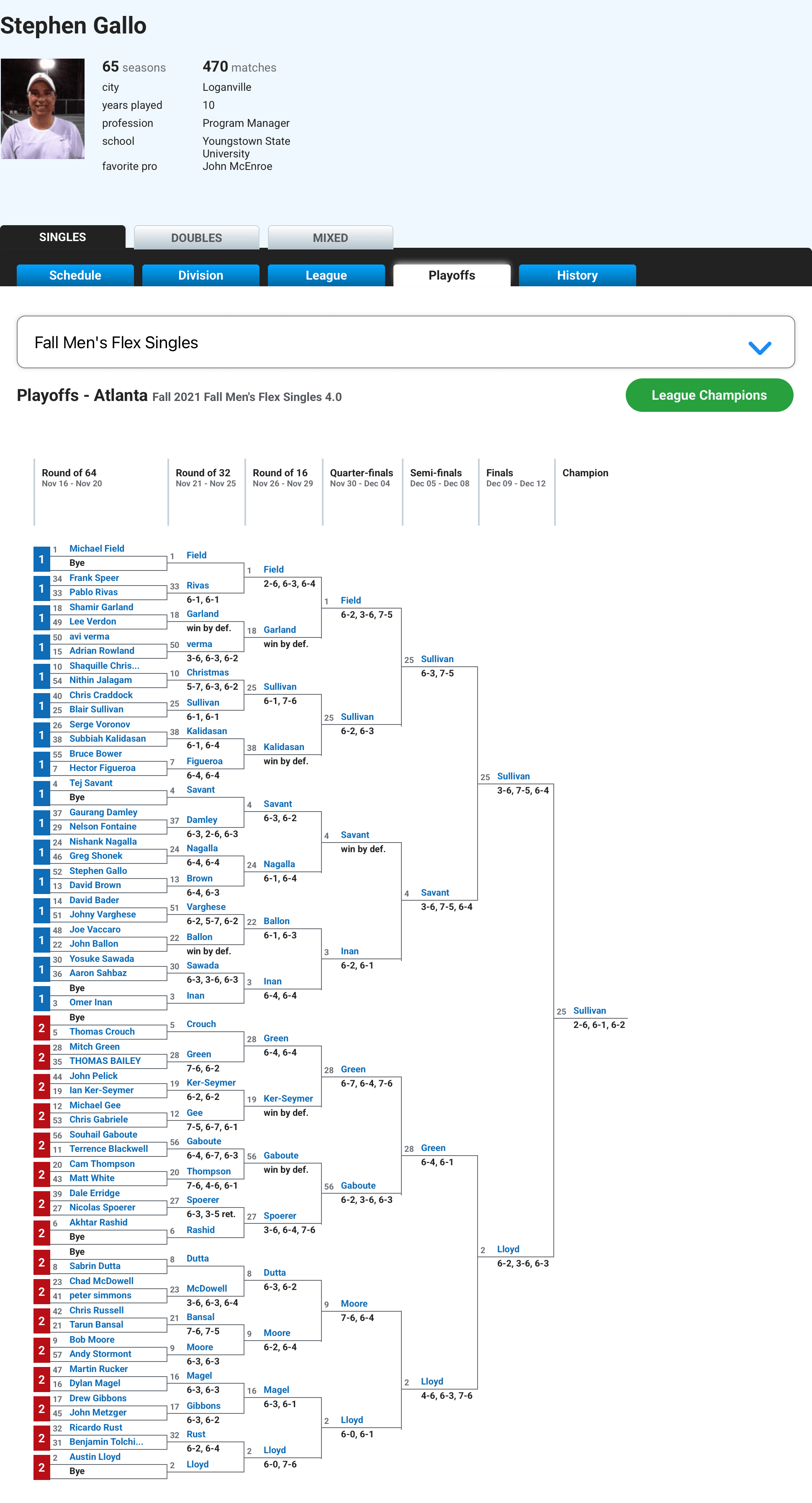
Playoffs
The tournament draw for your most recent season.
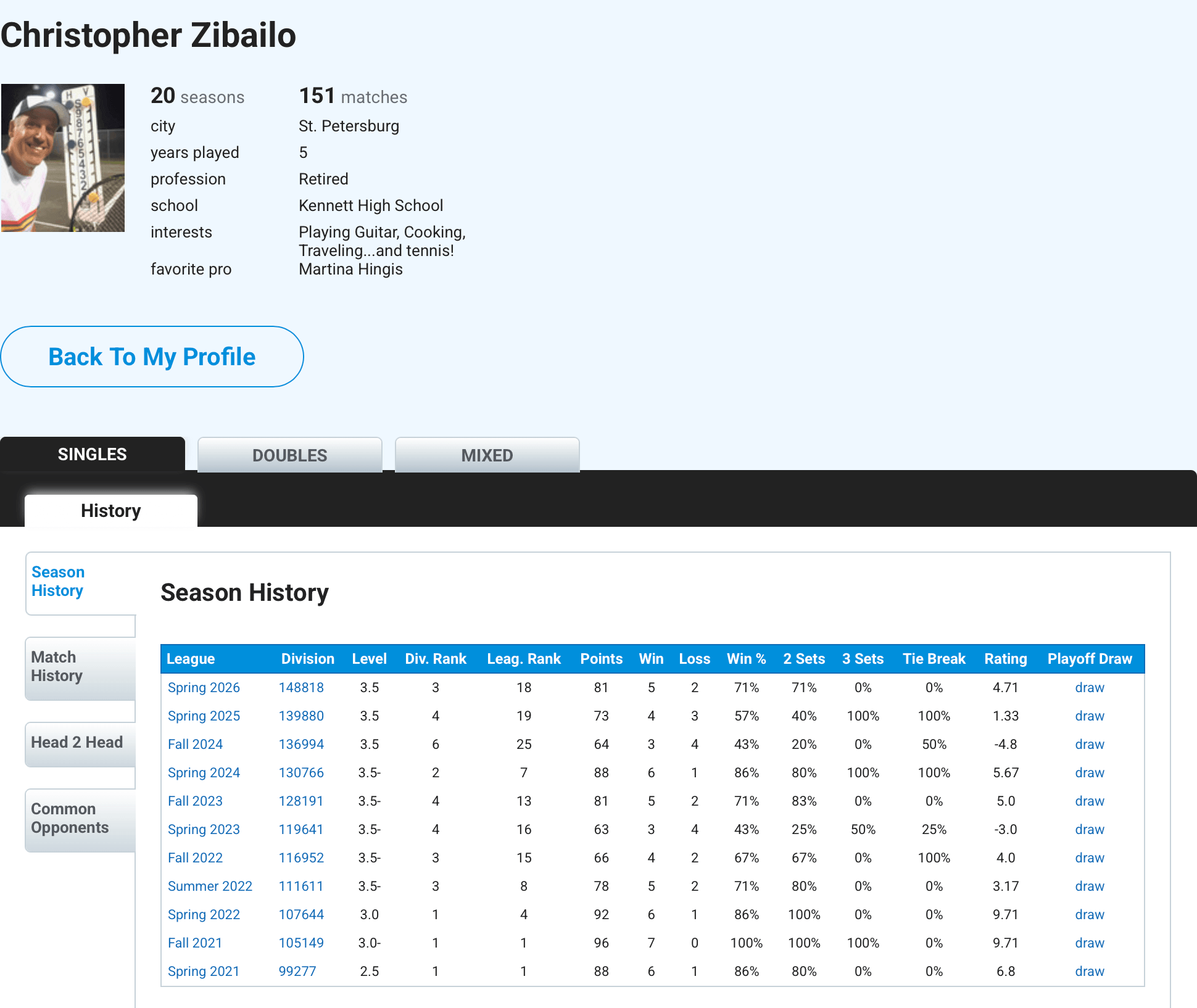
Season History
A full historical record of play for the selected person and event — Singles, Doubles, or Mixed. The history section has four sub-tabs: Season History, Match History, Head-to-Head, and Common Opponents.
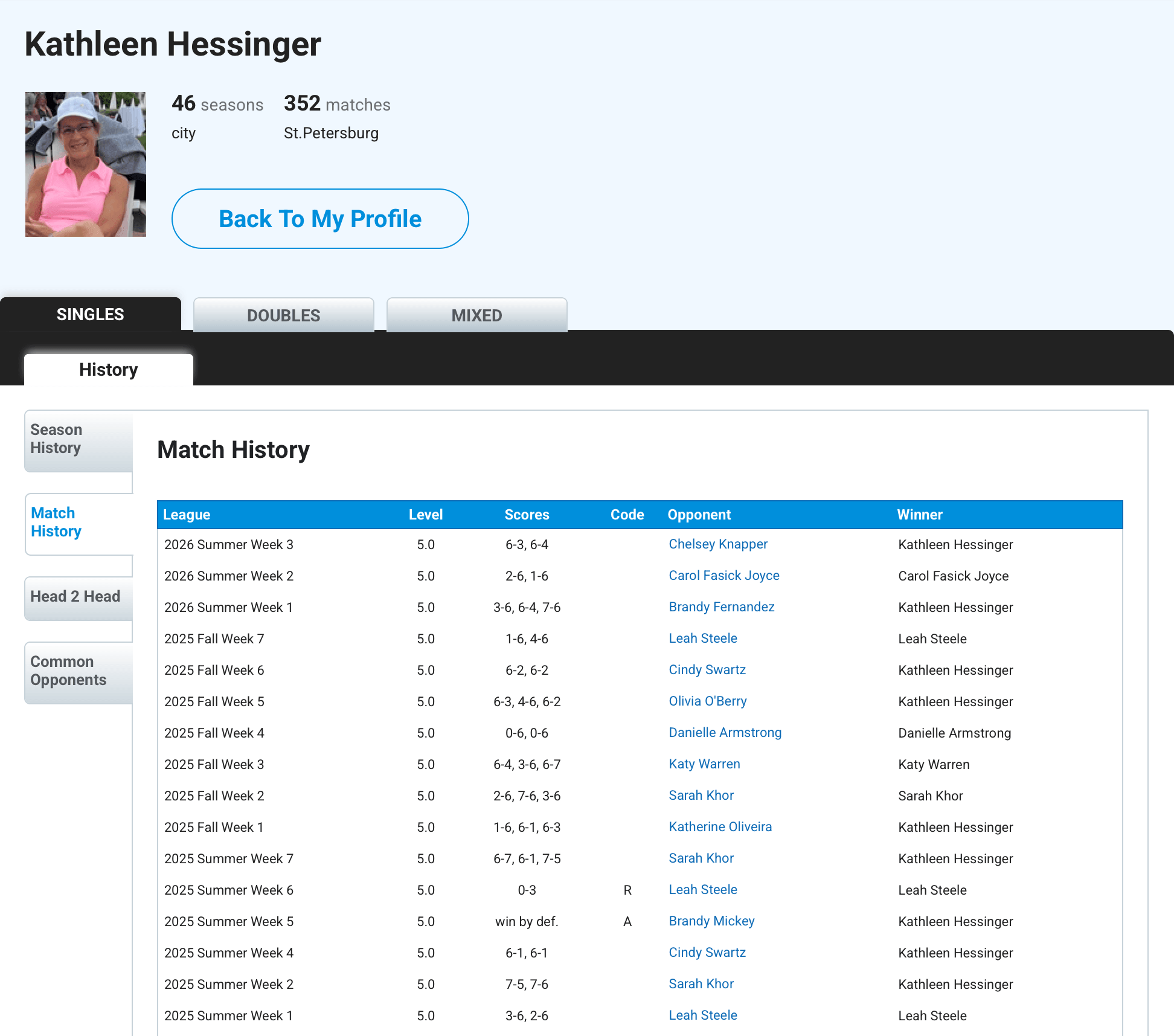
Match History
A full record of your matches for this selected event — Singles, Doubles, or Mixed.
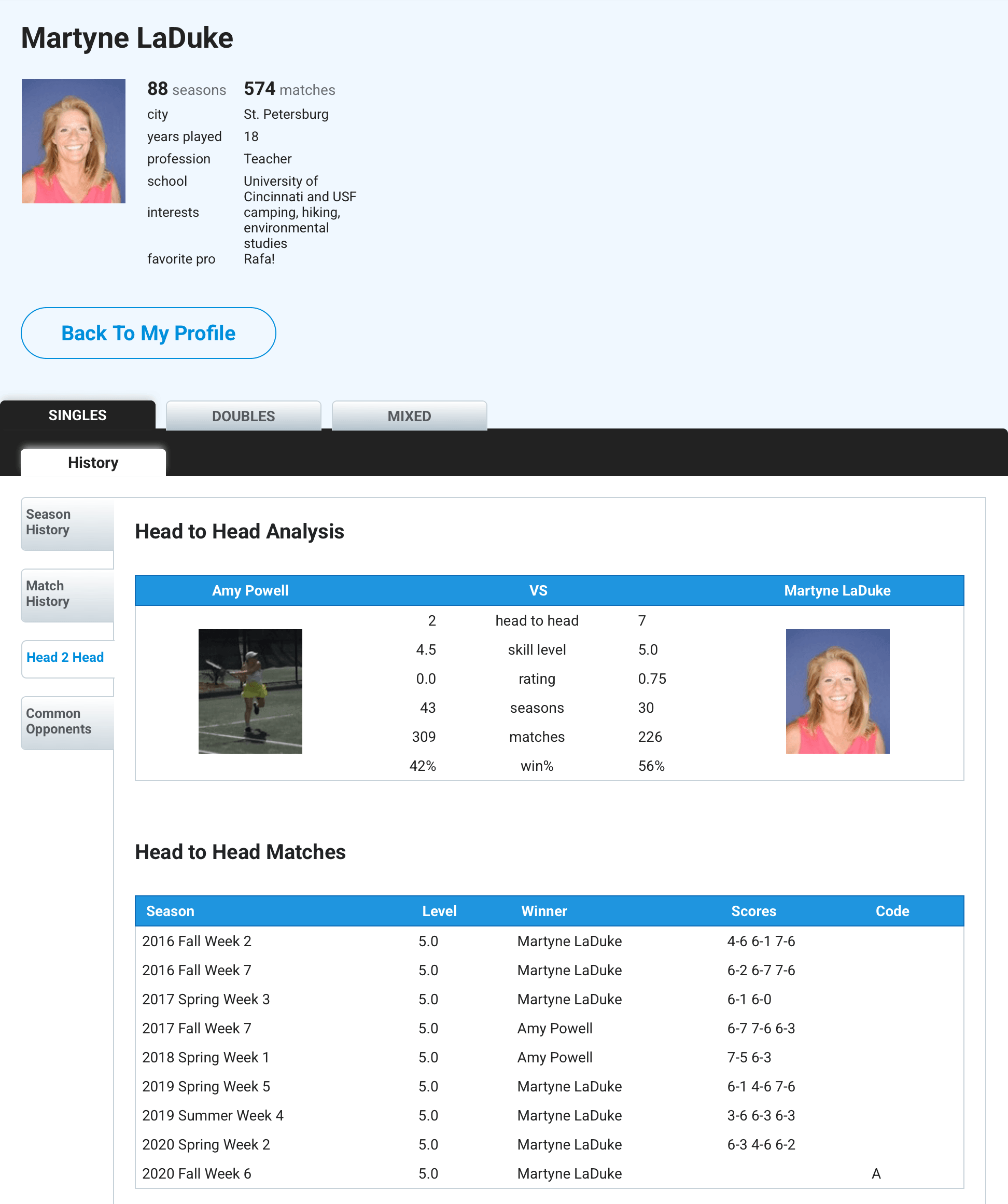
Head to Head Stats
Compare your record against any player in the league. Click their name, then the Head-to-Head tab. (These stats only appear when you're viewing another player's profile.)
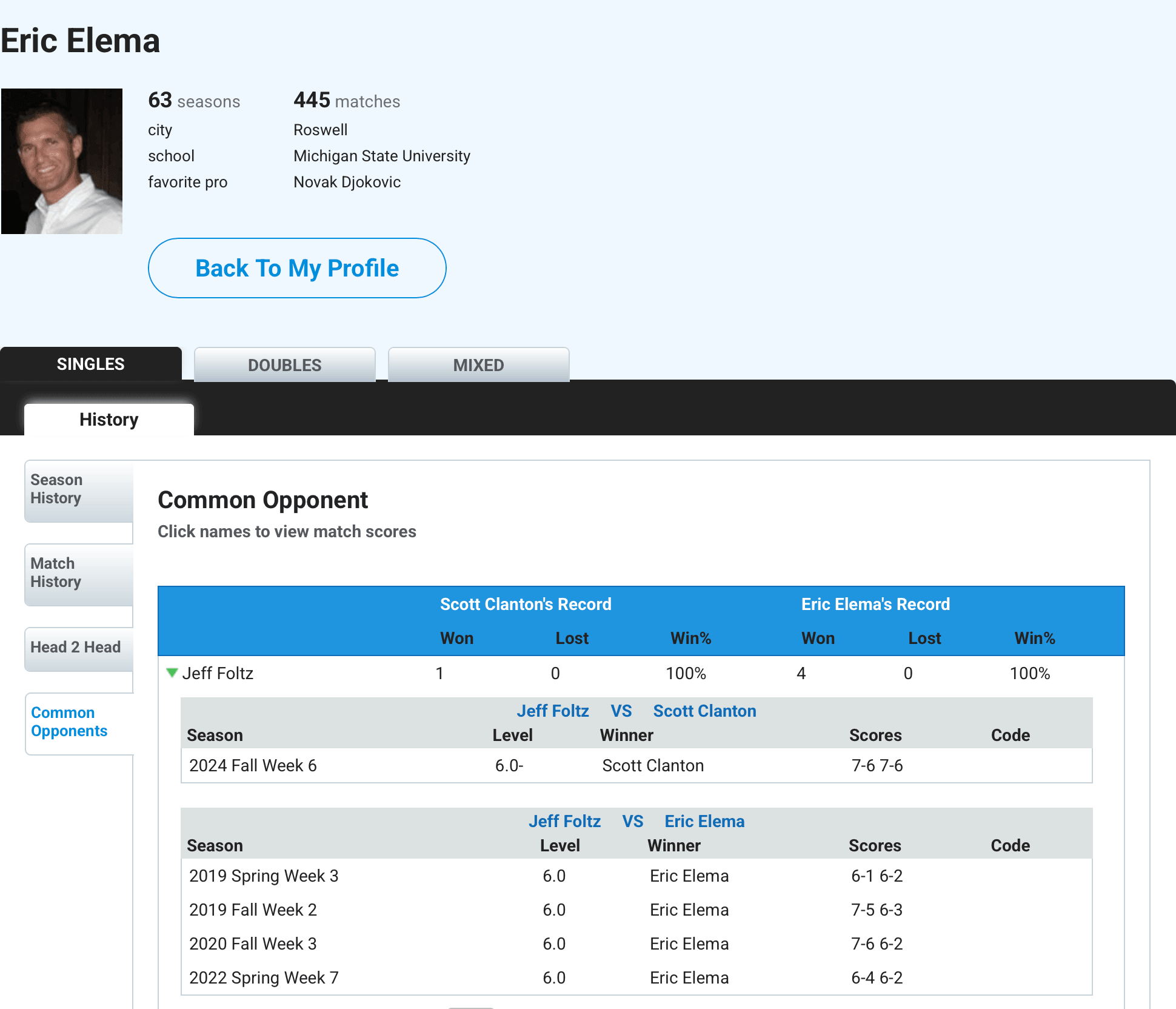
Common Opponent Stats
See every player you and the selected person have both played. The best scouting tool to size up someone you haven't played yet but might meet in an upcoming match.
Copyright © 2003 – 2026 Apex Tennis Systems, Inc. All rights reserved.
Copyright © 2003 – 2026
Apex Tennis Systems, Inc. All rights reserved.